How to Check LTO Alarm Online, SMS & In-Person (2026 Guide)
An LTO alarm is a flag in the Land Transportation Office system that prevents you from completing transactions until you resolve it. It appears when you have pending requirements, unpaid violations, or expired documents. Think of it as a red light that stops you from registering your vehicle or renewing your license.
According to LTO data from 2024, over 340,000 motorists discover alarms during renewal attempts each year. Most don’t know they have one until they try to transact. This guide shows you exactly how to check for LTO alarms before you waste time at an office.
You’ll learn three checking methods, what each alarm type means, and how to clear them fast. No more surprises at the counter!
What Is an LTO Alarm and Why Does It Appear?
An LTO alarm is a system restriction placed on your vehicle or license record due to unpaid violations, expired documents, incomplete requirements, or pending legal cases. It blocks transactions until the underlying issue is resolved through payment or document submission.
The LTO implemented this alarm system in 2019 as part of their digitalization push. Before that, you could renew registrations even with violations. Now the system automatically flags accounts.
Alarms appear for several reasons. Registration alarms pop up when your vehicle has smog test failures or missing insurance. Violation alarms trigger from unpaid traffic tickets entered by LTO or MMDA. License alarms happen when you have medical restrictions or failed drug tests on record.
Here’s what drivers get wrong: alarms don’t automatically mean you did something illegal. Sometimes it’s just paperwork. A common scenario is when your insurance company fails to update LTO’s database, creating a false alarm even though you paid your CTPL on time.
What Is an LTO Alarm and Why Does It Appear?
Check LTO alarms online through the official LTO Portal at lto.gov.ph by logging into your LTMS account, selecting “Inquiry Services,” and viewing your vehicle or driver profile. Active alarms display as red flags with descriptions of the blocking issue and required actions.
The online method is fastest but requires setup. You need an LTMS Portal account first. If you don’t have one yet, check our LTMS Portal tutorial for the complete registration process.
Once logged in, follow these steps:
- Go to the LTO Portal’s homepage and click “Login” at the top right corner
- Enter your LTMS email and password, then complete the CAPTCHA verification
- Click “Services” in the main menu and select “Inquiry Services”
- Choose either “Vehicle Inquiry” or “Driver Inquiry” depending on what you’re checking
- Enter your plate number or license number in the search field
- Review the status page for any red alarm indicators or blocking message.
Screenshot your inquiry results. LTO staff sometimes ask for proof that you checked online before they process alarm clearances.
That said, the portal crashes during peak hours. If you can’t access it between 9 AM and 3 PM on weekdays, try early morning or evening instead.
Check LTO Alarms Through Text Message
Text “VEHICLE [plate number]” or “LICENSE [license number]” to 2600 for Smart/TNT or 0999-9831070 for Globe/TM subscribers. The LTO SMS service replies within minutes with your registration status and active alarm notifications, though detailed descriptions require online checking.
SMS checking works when you’re away from computers. The service runs 24/7 and costs nothing beyond standard text rates. Most carriers charge ₱1 per message. This method used for the old LTO system if your vehicle is linked to the old one then it will work for you.
Here’s the exact format:
- For vehicle alarms: Type VEHICLE ABC1234 (use your actual plate number)
- For license alarms: Type LICENSE N01-12-123456 (use your license number with dashes)
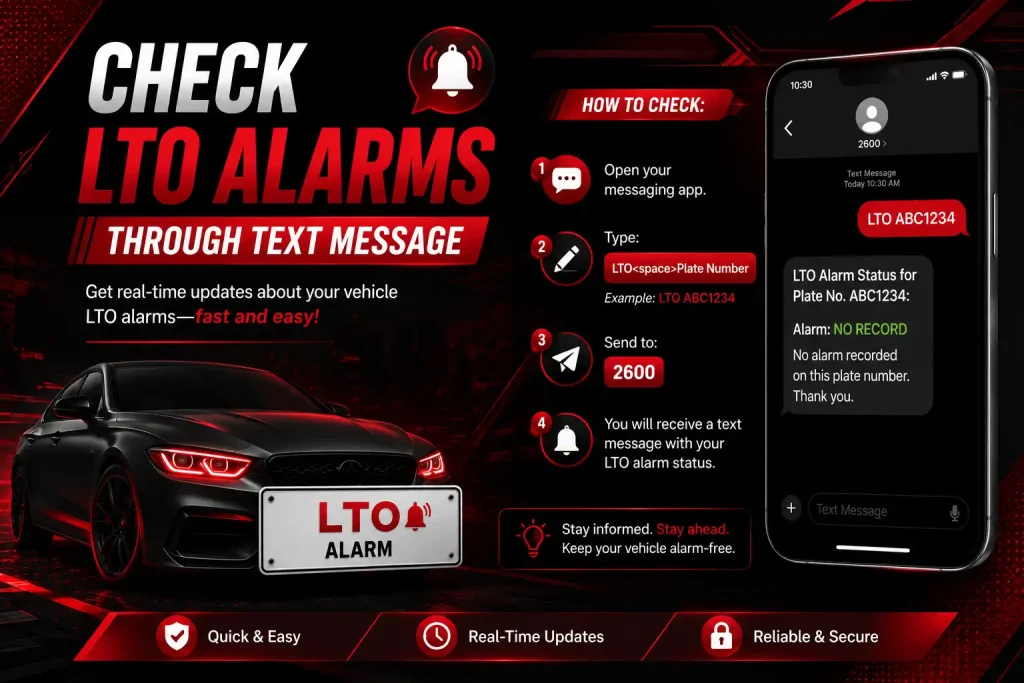
Send to 2600 if you use Smart or TNT. Globe and TM users send to 0999-9831070 instead.
The reply comes back fast. A clean record shows “NO ALARM” in the message. If you have one, the text says “ALARM DETECTED” followed by a code like “VIO” for violation or “REG” for registration.
But there’s a catch. SMS results don’t explain what the alarm means. You get a code, not instructions. That’s why most people use SMS to quickly check, then go online for details if an alarm pops up.
Different Types of LTO Alarms
LTO uses four main alarm categories: Registration Alarms (expired docs, missing CTPL), Violation Alarms (unpaid tickets, traffic fines), License Alarms (medical issues, restrictions), and Legal Alarms (carnapping reports, court orders). Each type blocks specific transactions and requires different clearance procedures.
Registration alarms are most common. They stop renewal transactions. You’ll see these if your emission test expired, your insurance lapsed, or you didn’t complete the plate number linking process after getting new plates.
Violation alarms come from traffic enforcers. MMDA, city traffic units, and highway patrol submit ticket data to LTO. The system creates an alarm automatically. You can’t renew anything until you pay the fine and get a clearance certificate.
| Alarm Type | Common Causes | Blocked Transactions | Clearance Time |
|---|---|---|---|
| Registration | Expired docs, missing CTPL, no emission test | Vehicle renewal, plate release | Same day if requirements complete |
| Violation | Unpaid tickets, no-contact apprehensions | All renewals, transfers | 3-5 days after payment |
| License | Medical restrictions, failed drug test | License renewal, application | Varies by medical clearance |
| Legal | Carnapping reports, court holds | Everything | Requires legal resolution |
License alarms trigger from health records. If you failed a mandatory drug test or have vision restrictions that weren’t followed up, the system flags your license. These need medical clearances from LTO-accredited clinics.
Legal alarms are rare but serious. They appear when your vehicle is reported as carnapped, involved in a crime, or subject to a court order. You need legal documents to clear these, not just payment.
Different Types of LTO Alarms
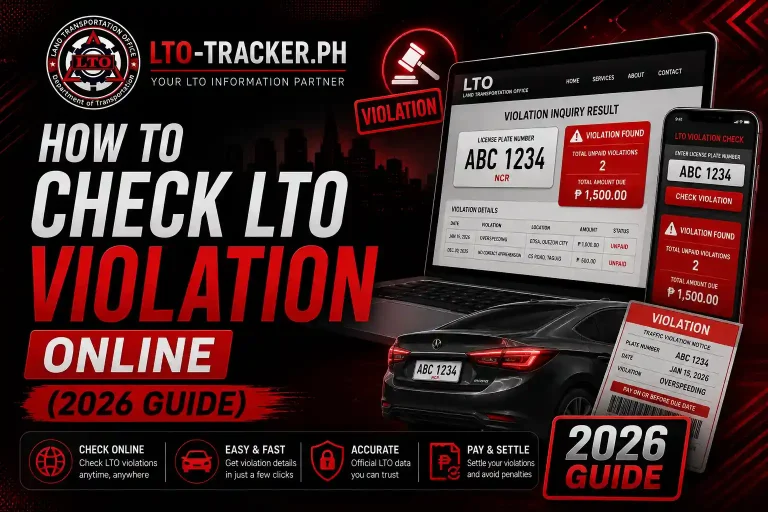
Check traffic violations through the LTO Portal’s Violation Inquiry feature, MMDA’s online violation checker at mmda.gov.ph, or by visiting the traffic enforcement office that issued the ticket. Violations take 7-14 days to appear in LTO systems after citation.
Traffic violations feed into LTO alarms, but they don’t show up instantly. There’s a lag between when you get ticketed and when it hits the LTO database. That’s why you might pass one LTO check but fail another a week later.
MMDA violations process faster than city tickets. Metro Manila violations usually appear in 5-7 days. Provincial tickets can take two weeks or longer depending on the local office’s encoding speed.
To check specifically for violations, use these steps:
- Visit the MMDA violation portal at mmda.gov.ph/violation-tracker
- Enter your plate number or license number in the search box
- Review the list of violations with dates, locations, and fine amounts
- Cross-check with the LTO Portal to see which violations created alarms
Not all violations create alarms immediately. Minor parking tickets may not block renewals right away. Major violations like reckless driving, no license, or DUI create instant alarms.For detailed steps on checking violations across all systems, read our guide on how to view traffic violations online.
Check LTO Alarms in Person
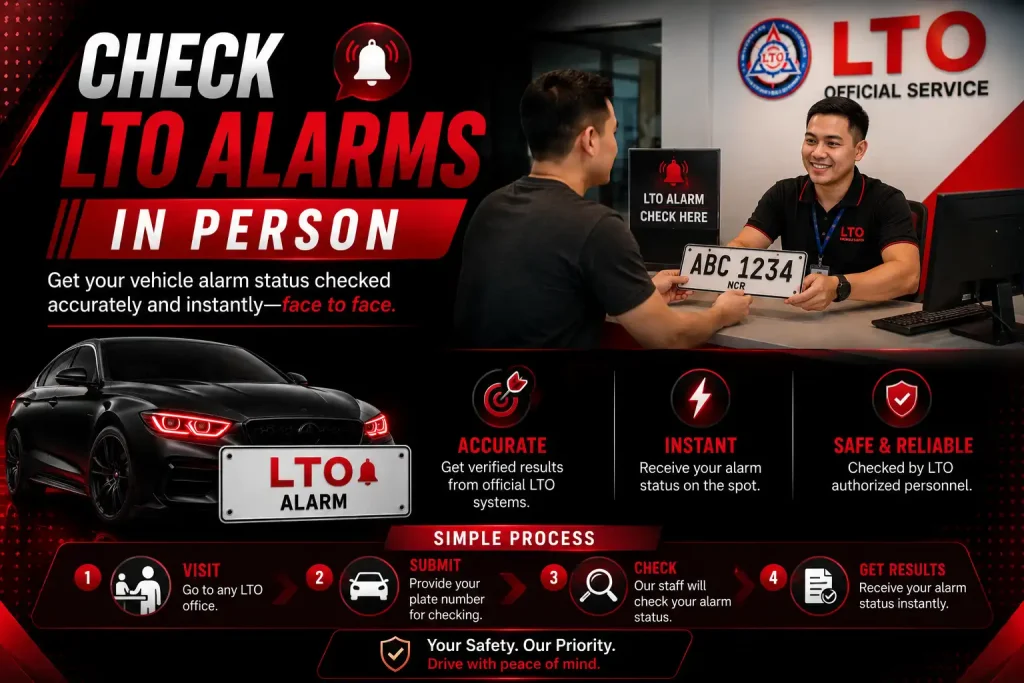
Visit any LTO district or extension office during business hours (8 AM to 5 PM weekdays) and request an alarm inquiry at the releasing section. Bring your official receipt, vehicle registration, or driver’s license. Staff print a status report showing all active alarms within 15-30 minutes.
In-person checking works best when you need official documentation. Some clearance offices won’t accept online screenshots. They want the printed LTO inquiry slip.
The process is straightforward. Walk into your nearest LTO office and look for the “Inquiry” or “Releasing” window. Tell the clerk you need an alarm check. They’ll ask for your OR/CR or license, type your details into their system, and print the results.
Peak hours are brutal. Offices are packed from 9 AM to 2 PM. Go before 8:30 AM or after 3 PM to avoid two-hour waits. Tuesday through Thursday are typically lighter than Mondays and Fridays.
Some branches charge ₱20-50 for printed inquiries even though the service should be free. That’s an unofficial “printing fee.” You can refuse, but it might slow things down.
Bring a pen and paper. Copy the exact alarm codes and descriptions from the screen if they won’t print for free. You’ll need those details to fix the alarm.
How to Resolve an LTO Alarm Once You Find It?
Resolve LTO alarms by addressing the root cause: pay outstanding violations through the issuing agency, submit missing documents to LTO, update insurance records with your provider, or obtain medical clearances. After resolution, request alarm lifting at the LTO office where you transact, which takes 1-3 days to process.
Resolution steps depend entirely on alarm type. Registration alarms need document submission. Violation alarms require payment proof. License alarms demand medical paperwork.
For registration alarms caused by missing insurance:
- Contact your insurance provider and confirm they submitted your CTPL to LTO’s database
- Get a certification letter from the insurance company stating submission date and policy number
- Bring the letter to your LTO branch and request database verification
- Wait 24-48 hours for manual update if auto-sync failed
Violation alarms take longer. You must pay the fine first at the issuing agency. MMDA fines get paid at MMDA headquarters or satellite offices. City fines go to city hall. After payment, request a clearance certificate. Take that certificate to LTO and file for alarm removal.
The LTO doesn’t automatically lift alarms after payment. Their system doesn’t sync with payment databases in real time. You have to physically show proof and request manual lifting.
If you need to apply for a replacement plate but have an alarm, you must clear it first. The plate release section won’t process requests with active flags.
How Long Does It Take for LTO to Remove an Alarm?
LTO alarm removal takes 1-3 business days after submission of requirements for simple cases like document updates, 5-7 days for violation clearances requiring inter-agency verification, and up to 30 days for legal or complex alarms requiring management approval and system-wide updates.
Simple alarms clear the fastest. If you just forgot to submit your emission test result and you bring it in, they can lift the alarm same-day if the system is working properly. That’s the ideal scenario.
Violation-based alarms drag longer because LTO waits for confirmation from the enforcing agency. Even if you show a paid receipt, they often verify with MMDA or the city hall first. That back-and-forth adds 3-5 days.
Legal alarms are unpredictable. Carnapping-related alarms need clearance from the police and the regional director. That process has no fixed timeline. Some resolve in two weeks. Others take months.
Here’s what slows things down: manual encoding. LTO staff have to type alarm removals into the system by hand. If the encoder is sick or the office is understaffed, your clearance sits in a pile.
You can speed it up by following up every two days. Call the office, reference your transaction number, and ask for status. The squeaky wheel gets greased.
Can I Renew My Registration With an Active Alarm?
No, you cannot renew vehicle registration with an active LTO alarm. The system automatically blocks all renewal transactions until the alarm is cleared. Attempts to renew will result in “transaction cannot proceed” errors online or rejection at LTO offices.
The system is hard-coded to block renewals. It’s not up to the clerk’s discretion. Even if you’re friendly with LTO staff, they physically cannot process your renewal while an alarm exists in the database.
Some fixers claim they can bypass alarms. They can’t. What they actually do is bribe someone to temporarily remove the alarm, process your renewal, then let it reappear later. That creates bigger problems when you need to transfer ownership or face an LTO audit.
The only legitimate path is clearing the alarm first. There are no shortcuts that won’t backfire eventually.
That means planning ahead. Don’t wait until your registration expires to check for alarms. Do it at least 30 days before expiration. That gives you time to fix issues without driving with expired documents.
What Happens If You Ignore an LTO Alarm?
Ignoring an LTO alarm prevents all LTO transactions including renewals, transfers, and plate releases. Over time, violations accumulate late penalties, your registration expires making your vehicle illegal to drive, and unresolved alarms can lead to vehicle impounding during checkpoints.
Alarms don’t go away by themselves. They stay in the system indefinitely. The underlying issue just gets worse as late fees pile up.
Traffic violations add ₱200-500 penalty per month after 30 days. A ₱1,000 ticket can balloon to ₱3,000 after six months. Registration penalties stack differently but follow similar logic.
Driving with expired registration is a violation itself. If you can’t renew because of an alarm, and you keep driving, you’re committing a new offense every day. That’s ₱5,000-10,000 in fines plus possible impounding during MMDA operations.
The worst scenario is ownership transfer. If you sell your vehicle with unresolved alarms, the buyer can’t complete the LTO transfer application process. That creates legal liability. You’re still the registered owner if the transfer fails, meaning you’re responsible for accidents and violations even after selling.
Why Does LTO Alarm Check Show No Results?
“No results” in LTO alarm checks typically means your vehicle or license is not yet fully encoded in the central database, you entered incorrect information, or you’re checking too soon after registration. New vehicles take 30-60 days to appear in searchable databases after initial registration.
Brand new vehicle owners face this constantly. You register your car, get temporary plates, but the LTO Portal says “no record found.” That’s normal for the first month. The district office encodes data locally first. It syncs to the central server later.
Another common cause is typos. Plate numbers need exact formatting. If your plate is ABC 1234 but you type ABC1234 without the space, the search fails. License numbers need dashes in the right places.
Sometimes it’s the LTO database itself. System maintenance, server issues, or incomplete data uploads cause false negatives. If you know you’re registered but get “no results,” try a different checking method or visit in person.
For a broader understanding of LTO systems and processes, visit our complete LTO guide covering all services and digital tools.
Are There Third-Party Services to Check LTO Alarms?
While some third-party websites claim to check LTO alarms, only the official LTO Portal, LTO SMS service, and physical LTO offices provide verified alarm information. Unofficial checkers often scrape outdated data or charge fees for information that’s free from official sources.
Dozens of websites advertise “instant LTO alarm checking.” Most are scams or severely outdated. They pull data from old LTO databases that don’t reflect current alarms.
Here’s how to spot fake checkers. If a site asks for payment before showing results, it’s fake. LTO never charges for alarm inquiries. If results appear instantly without loading time, they’re probably cached old data, not real-time checks.
Legitimate third-party services exist, but they redirect you to official LTO systems. They’re basically wrappers around the LTO Portal with nicer interfaces. You’re still checking through LTO’s database, just with a different front-end.
The safest approach is sticking to official channels. Use lto.gov.ph for online checks, the 2600 SMS service for mobile, or visit an LTO office. You eliminate the risk of data breaches or misinformation.
Prevent LTO Alarms in the Future
Prevent LTO alarms by renewing registration 60 days before expiration, maintaining valid insurance with confirmed LTO database updates, completing emission tests on schedule, paying traffic violations within 15 days of citation, and regularly checking your LTO Portal account quarterly for any system flags.
Prevention beats fixing. Set calendar reminders for important dates. Your registration expiration, insurance renewal, and emission test deadline should all have alerts 60 days in advance.
Insurance is the sneakiest cause of false alarms. Even if you pay your CTPL on time, your insurance company might delay submitting the certificate to LTO. Call them two weeks after purchase and confirm they uploaded your policy to the LTO database. Get a reference number.
Traffic violations work differently. You might not know you were ticketed until the alarm appears. No-contact apprehension is common now. Cameras catch violations and mail tickets to your registered address. If you moved and didn’t update LTO with your new address, you’ll never receive the ticket but the alarm still gets created.
Log into the LTO Portal every three months and run an alarm check even when you have no transactions. Early detection means cheaper fixes.
Keep digital copies of all LTO documents. When you renew registration, screenshot the confirmation. Save your emission test PDF. Store insurance certificates in cloud storage. If an alarm pops up incorrectly, you can prove it with documentation.